 Kwop
KwopKwop › Kwop vs Mouseflow
Kwop vs Mouseflow: an honest comparison
Short answer: Mouseflow is the more complete behavior analytics tool, with heatmaps, form analytics, feedback surveys and a free plan. Kwop has none of those. It answers a different question: which visits turned into Stripe, Whop or Shopify payments, who was about to buy and didn't, and what to write to them. Both record visits as replays and both have funnels.
What each tool is built for
Mouseflow is a behavior analytics platform for teams improving their pages. Its pricing page lists session replay, heatmaps, conversion funnels, friction detection, form analytics, feedback surveys, an AI assistant called Mina AI and, on higher plans, an MCP server. It shows how people use a page and where they struggle.
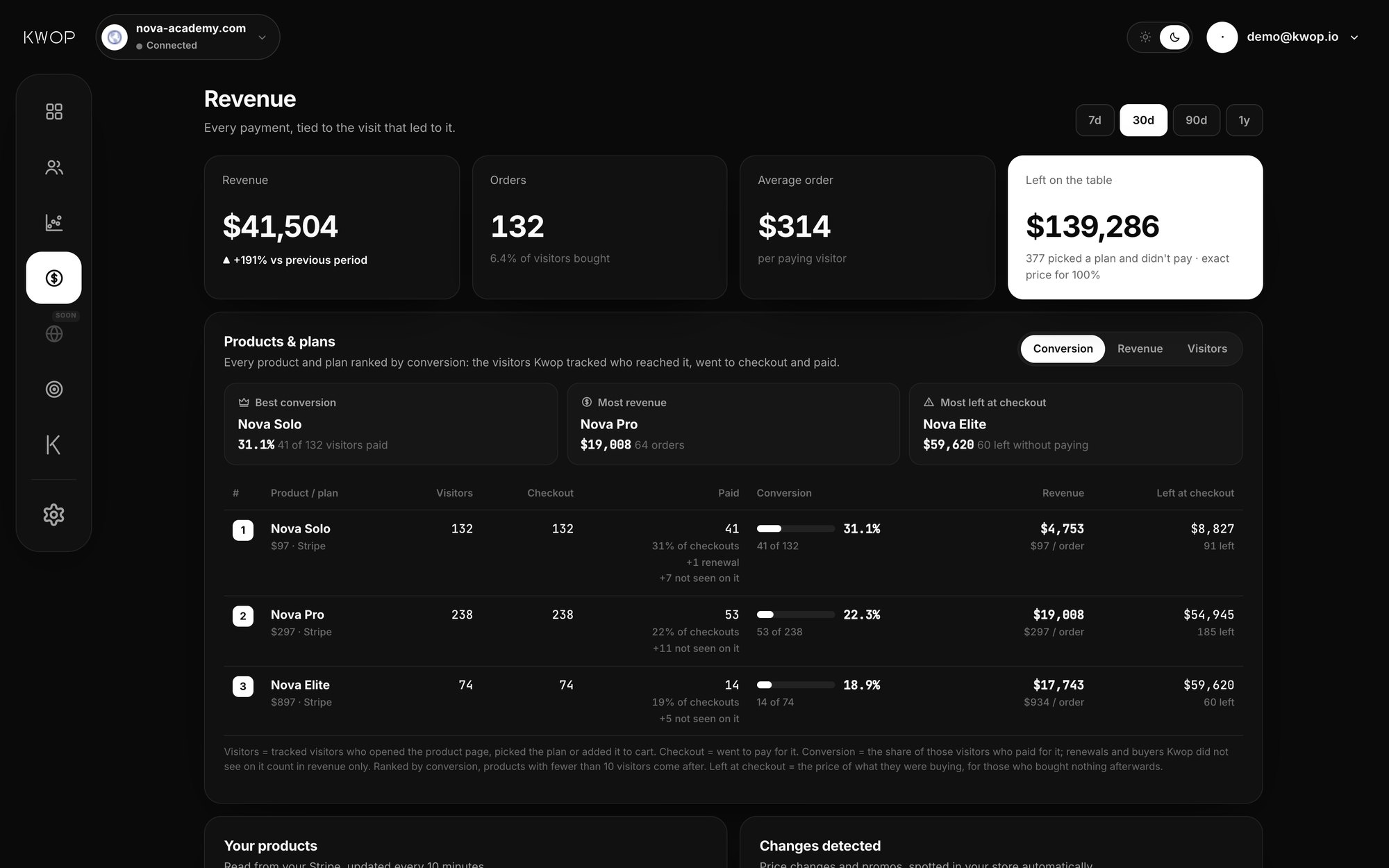
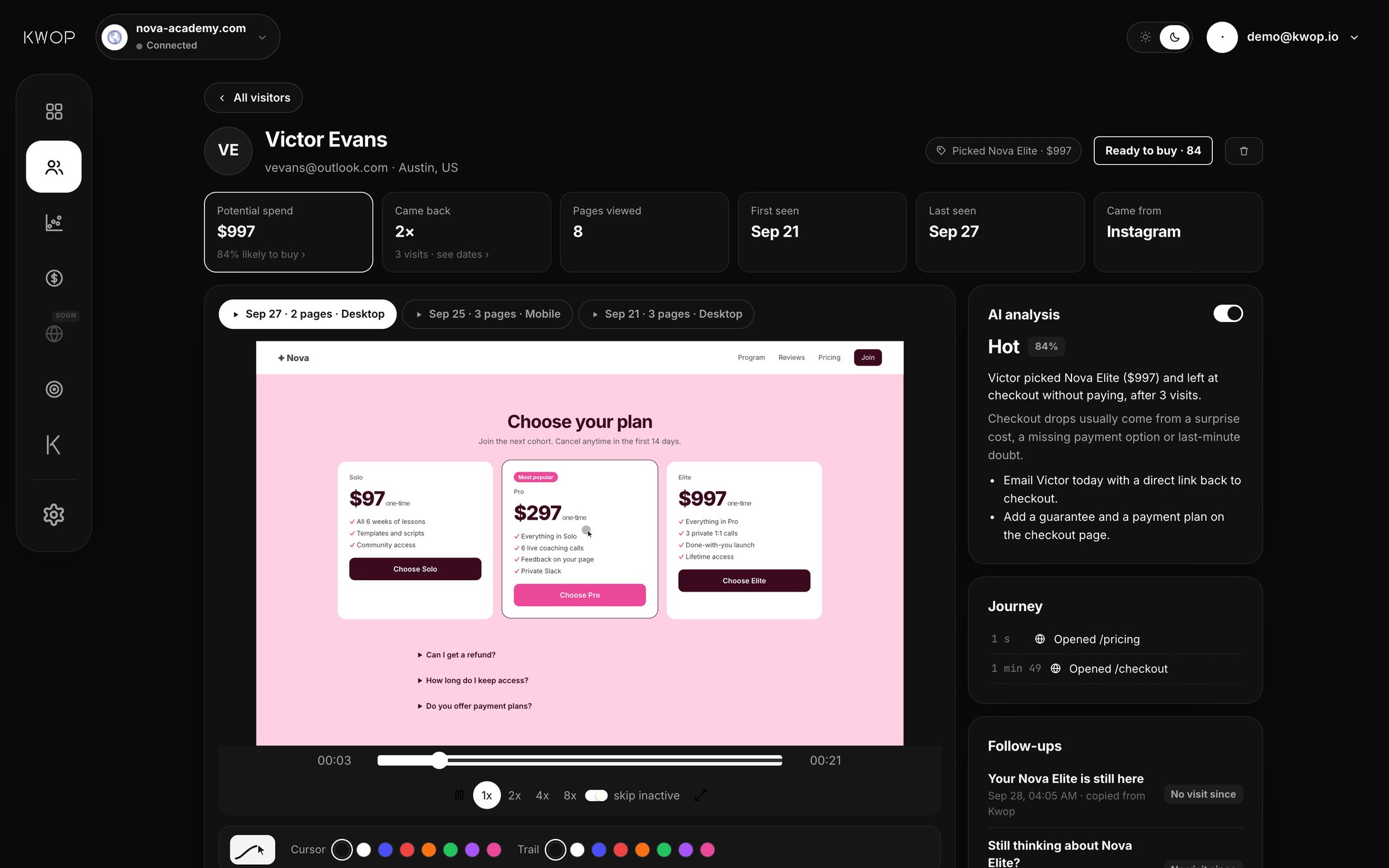
Kwop also records every visit like a video (session replay), with each visitor's journey page by page, funnels with drop-off, and rage and dead clicks. But it starts from money. On Pro you connect your own Stripe, Whop or Shopify account, and Kwop ties each payment to the visit behind it, ranks visitors by buying intent, and writes the follow-up for people who were ready to buy and did not pay. Setting up the Kwop app is one script line in your site's <head>.
Feature comparison
Mouseflow details are from its own pages, as of October 2026. Plans change, so check mouseflow.com before you decide.
| Feature | Kwop | Mouseflow |
|---|---|---|
| Session replay | Yes. Every session on Pro, about 90% (sampled) on Starter | Yes, on every plan, within the plan's monthly session quota |
| Heatmaps | No | Yes. Click, scroll and geo heatmaps on every plan; attention, movement and friction heatmaps from Advanced |
| Funnels | Yes, with drop-off at each step and the replays of the people who left | Yes. 1 funnel on Free and Essential, 5 on Advanced, 10 on Premium |
| Friction signals | Rage clicks and dead clicks | Automatic friction detection and JavaScript error detection on every plan |
| Form analytics | No | Yes, on Premium and Enterprise |
| Feedback surveys | No | Yes, from Advanced |
| Real payments tied to each visit (Stripe, Whop, Shopify) | Yes, on Pro. Each payment is matched to the visitor who typed the same email on your site, with the replay next to the sale | Not listed. "Revenue metrics" (potential revenue lost at drop-off) is listed on Enterprise |
| Visitors ranked by buying intent | Yes. A score from 0 to 100, with the plan each visitor picked | Not listed |
| Follow-up emails written per lead | Yes, on Pro: an email for every hot lead, written from their own visit, in a 7-step sequence that shows who clicked, came back and paid. Starter: your hottest 30% of leads, with how to follow up each one | Not listed |
| AI assistant | Kwop chat about your data, on Pro | Mina AI, from Essential |
| MCP server | Yes, on Pro. 9 read-only tools for Claude, ChatGPT, Gemini, Cursor | Yes, on Premium and Enterprise |
| Free plan | No. Free test: 3 AI test visits of your site, nothing to install | Yes. 500 sessions a month, 1 website, 1 month of data |
Where Mouseflow is better
- Heatmaps. Kwop has none. If you want to see at a glance where clicks and scrolls pile up on a page, use Mouseflow.
- Forms and feedback. Mouseflow lists form analytics (who dropped off, who failed to submit) and on-page surveys with NPS. Kwop shows what people did, not why.
- A free plan and a lower entry price. 500 free sessions a month, and Essential from $25 a month billed annually. Kwop starts at $47 a month during launch week, then $94.
- Sites that don't take payments. Kwop's main edge needs Stripe, Whop or Shopify connected, on Pro. Without them, you mostly get replays and funnels, which Mouseflow also covers.
- Track record and team features. Mouseflow has been around since 2009, lists unlimited users on every plan, and offers SSO on Enterprise. Kwop launched in October 2026.
Where Kwop is better
- Real payments tied to their replay. On Pro, you connect Stripe, Whop or Shopify with a key from your own account. Kwop imports the last 90 days and matches each payment to the visitor who typed the same email on your site. See the Stripe, Whop and Shopify pages.
- It tells you who to contact. Each visitor gets a buying-intent score from 0 to 100, from how far they went in your funnel, how often they came back and whether they left their email. Hot leads scored high, left their email and did not pay.
- It writes the follow-up and tracks it. On Pro, the email is written from the person's own visit: the plan and price they picked and where they stopped. It opens a 7-step sequence; you send each email yourself, and Kwop shows who clicked, came back and paid. Starter shows your hottest 30% of leads, with how to follow up each one.
- Every session on Pro, on unlimited sites. Mouseflow plans have a monthly session quota (500 to 100,000) and a set number of websites; its pricing FAQ says tracking stops when the quota runs out, until the next refill or an upgrade.
- MCP for less. Kwop's MCP server is on Pro ($119 a month at launch, then $238). Mouseflow lists its MCP server on Premium, from $319 a month billed annually.
- Try it before installing. Paste your link and Kwop sends 3 test visits through your site, on desktop and on a phone, and shows their replays in about a minute. No card.
Pricing side by side
Mouseflow prices are its own, as of October 2026, shown in dollars outside the EU and in euros inside it. Mouseflow also offers a 14-day free trial on Essential and Advanced.
| Plan | Price per month | Sessions per month | Websites |
|---|---|---|---|
| Mouseflow Free | $0 | 500 | 1 |
| Mouseflow Essential | $25 billed annually, $39 monthly | 5,000 | 1 |
| Mouseflow Advanced | $109 billed annually, $149 monthly | 25,000 | 2 |
| Mouseflow Premium | $319 billed annually, $399 monthly | 100,000 | 5 |
| Mouseflow Enterprise | Custom | Custom | Custom |
| Kwop Starter | $47 at launch, then $94 | 5,000, sampled (~90%) | 1 |
| Kwop Pro | $119 at launch, then $238 | Every session | Unlimited |
Kwop is 20% less billed yearly. Starter covers replays, journeys, funnels, rage clicks and your hottest 30% of leads. Pro adds connectors, revenue, the email for every hot lead, Kwop chat and MCP. See the pricing page.
Privacy
Mouseflow lists exclusion of sensitive form fields by default, IP exclusion and consent integration on every plan. In Kwop, every form field is masked in the visitor's browser. Only an email typed in your own forms is read, to tie a payment to a visit, and data-capture-email="off" turns that off. data-consent="required" waits for your cookie banner.
Who should choose which
Choose Mouseflow if you mainly want heatmaps, form analytics and surveys, if a UX team is improving pages, if you want a free plan, or if your site does not take payments.
Choose Kwop if you sell online (courses, memberships, software, a store) through Stripe, Whop or Shopify, and you want to know which visits made money, who was about to buy, and what to send them. It also fits if you want Claude or ChatGPT to answer questions from your visit and revenue data.
You can also run both: Mouseflow for heatmaps and forms, Kwop for payments, hot leads and follow-ups. Comparing other tools too? See Kwop vs Hotjar, Microsoft Clarity, Lucky Orange, Fullstory and PostHog.
FAQ
Does Kwop have heatmaps like Mouseflow?
No. Kwop has session replays, visitor journeys, funnels with drop-off, and rage and dead clicks, but no heatmaps, no surveys and no form analytics. If those matter most to you, Mouseflow is the better fit.
Can Kwop replace Mouseflow?
If you used Mouseflow mostly for recordings and funnels, and you sell through Stripe, Whop or Shopify, Kwop covers those and adds real payments, hot leads and follow-ups. If you rely on heatmaps, form analytics or surveys, it does not replace them.
Does Mouseflow show revenue?
As of October 2026, Mouseflow's pricing page lists funnel revenue metrics, the potential revenue lost when users drop off, on Enterprise. Kwop, on Pro, reads actual payments from your Stripe, Whop or Shopify account and matches each one to the visitor who typed the same email on your site.
Which one is cheaper?
Mouseflow, to start. As of October 2026 it has a free plan with 500 sessions a month, and paid plans start at $25 a month billed annually ($39 monthly). Kwop has no free plan: Starter is $47 a month at launch (then $94), Pro $119 (then $238). The test is free: paste your link and get 3 test visits, no card.
Do both work with Claude or ChatGPT?
Yes, through MCP. Mouseflow lists its MCP server on the Premium and Enterprise plans. Kwop's MCP server is on Pro and gives Claude, ChatGPT, Gemini or Cursor 9 read-only tools to read your visitors, buying intent, revenue and who to follow up.
See who pays on your site
Paste your link: Kwop shows 3 test visits of your site in about a minute. No card.